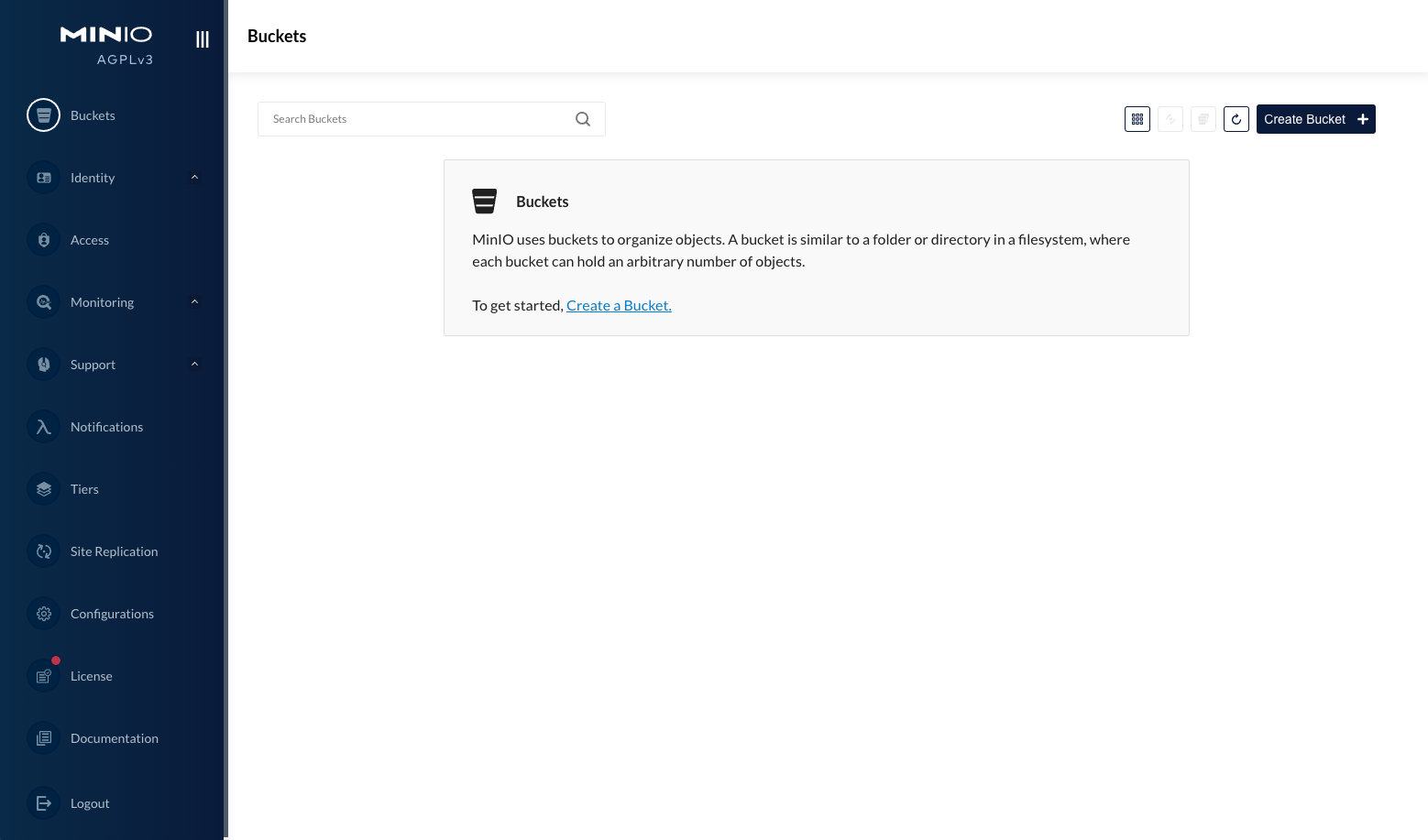
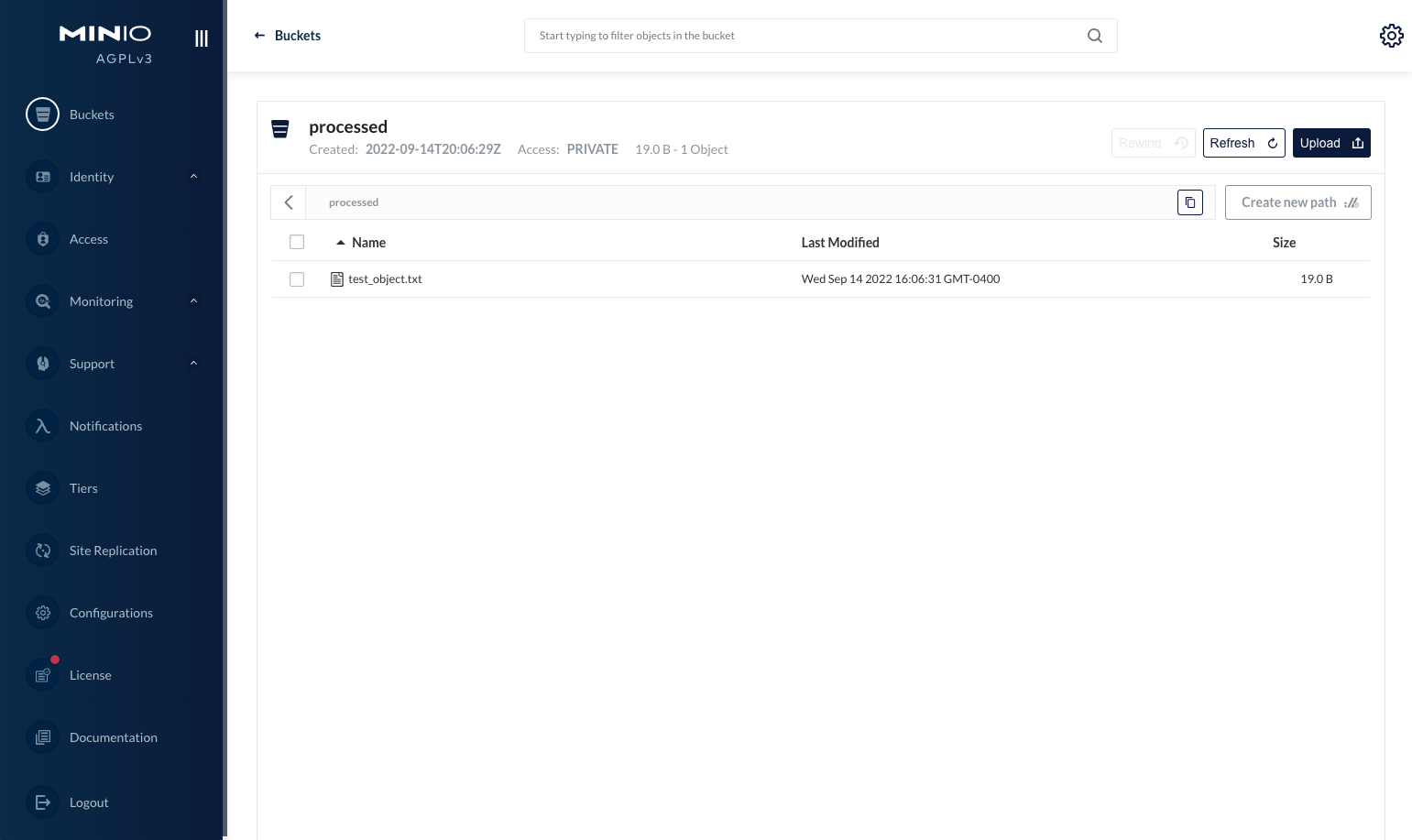
from minio import Minio # Convenient dict for basic config config = { "dest_bucket": "processed", # This will be auto created "minio_endpoint": "localhost:9000", "minio_username": "minio", "minio_password": "minioadmin", } # Initialize MinIO client minio_client = Minio(config["minio_endpoint"], secure=False, access_key=config["minio_username"], secret_key=config["minio_password"] ) # Create destination bucket if it does not exist ifnot minio_client.bucket_exists(config["dest_bucket"]): minio_client.make_bucket(config["dest_bucket"]) print("Destination Bucket '%s' has been created" % (config["dest_bucket"])) # Create a test object file_path = "test_object.txt" f = open(file_path, "w") f.write("created test object") f.close() # Put an object inside the bucket minio_client.fput_object(config["dest_bucket"], file_path, file_path) # Get the object from the bucket minio_client.fget_object(config["dest_bucket"], file_path, config["dest_bucket"] + "/" + file_path) # Get list of objects for obj in minio_client.list_objects(config["dest_bucket"]): print(obj) print("Some objects here")
让我们来看看上面的脚本。我们正在调用我们在上一步中启动的 MinIO 容器的一些基本操作。
在最顶部,我们正在导入我们之前安装的 MinIO Python SDK 并使用默认值初始化它
MinIO 端点
MinIO用户名
最小密码
MinIO 中的目标存储桶名称
from minio import Minio # Convenient dict for basic config config = { "dest_bucket": "processed", # This will be auto created "minio_endpoint": "localhost:9000", "minio_username": "minio", "minio_password": "minioadmin", } # Initialize MinIO client minio_client = Minio(config["minio_endpoint"], secure=False, access_key=config["minio_username"], secret_key=config["minio_password"] )
检查特定目标桶是否存在;如果不创建它。
## Create destination bucket if it does not exist ifnot minio_client.bucket_exists(config["dest_bucket"]): minio_client.make_bucket(config["dest_bucket"]) print("Destination Bucket '%s' has been created" % (config["dest_bucket"]))
创建一个测试对象来执行基本操作。在这里,我们正在创建一个包含一些文本的文件
# Create a test object file_path = "test_object.txt" f = open(file_path, "w") f.write("created test object") f.close()
minio_client.remove_object(config["dest_bucket"], file_path) for obj in minio_client.list_objects(config["dest_bucket"]): print(obj) print("No objects here")
因为那是唯一的对象,现在我们可以删除我们之前创建的桶
if minio_client.bucket_exists(config["dest_bucket"]): minio_client.remove_bucket(config["dest_bucket"]) print("Destination Bucket '%s' has been removed" % (config["dest_bucket"]))
from opentelemetry import trace from opentelemetry.sdk.trace import TracerProvider from opentelemetry.sdk.trace.export import ConsoleSpanExporter from opentelemetry.sdk.trace.export import BatchSpanProcessor from opentelemetry.sdk.resources import SERVICE_NAME, Resource
with tracer.start_as_current_span("check if bucket exist"):
此时脚本应该看起来像这样
from minio import Minio from opentelemetry import trace from opentelemetry.sdk.trace import TracerProvider from opentelemetry.sdk.trace.export import ConsoleSpanExporter from opentelemetry.sdk.trace.export import BatchSpanProcessor from opentelemetry.sdk.resources import SERVICE_NAME, Resource # Convenient dict for basic config config = { "dest_bucket": "processed", # This will be auto created "minio_endpoint": "localhost:9000", "minio_username": "minio", "minio_password": "minioadmin", } # Initialize MinIO client minio_client = Minio(config["minio_endpoint"], secure=False, access_key=config["minio_username"], secret_key=config["minio_password"] )
# Initialize OpenTelemetry provider resource = Resource(attributes={ SERVICE_NAME: "my-minio" }) provider = TracerProvider(resource=resource) processor = BatchSpanProcessor(ConsoleSpanExporter()) provider.add_span_processor(processor) trace.set_tracer_provider(provider) tracer = trace.get_tracer(__name__) with tracer.start_as_current_span("check if bucket exists"): # Create destination bucket if it does not exist ifnot minio_client.bucket_exists(config["dest_bucket"]): minio_client.make_bucket(config["dest_bucket"]) print("Destination Bucket '%s' has been created" % (config["dest_bucket"]))
with tracer.start_as_current_span("check if bucket exists"): current_span = trace.get_current_span() current_span.set_attribute("function.name", "CHECK_BUCKET")
current_span.add_event("Checking if bucket exists.") ifnot minio_client.bucket_exists(config["dest_bucket"]): current_span.add_event("Bucket does not exist, going to create it.") minio_client.make_bucket(config["dest_bucket"])
再次运行脚本,您会注意到 JSON 输出中有两个新事件
...TRUNCATED...
"events": [ { "name": "Checking if bucket exists.", "timestamp": "2022-09-14T21:09:48.505709Z", "attributes": {} }, { "name": "Bucket does not exist, going to create it.", "timestamp": "2022-09-14T21:09:48.514541Z", "attributes": {} } ],
from minio import Minio from opentelemetry import trace from opentelemetry.sdk.trace import TracerProvider from opentelemetry.sdk.trace.export import ConsoleSpanExporter from opentelemetry.sdk.trace.export import BatchSpanProcessor from opentelemetry.sdk.resources import SERVICE_NAME, Resource # Convenient dict for basic config config = { "dest_bucket": "processed", # This will be auto created "minio_endpoint": "localhost:9000", "minio_username": "minio", "minio_password": "minioadmin", } # Initialize MinIO client minio_client = Minio(config["minio_endpoint"], secure=False, access_key=config["minio_username"], secret_key=config["minio_password"] ) resource = Resource(attributes={ SERVICE_NAME: "my-minio" }) provider = TracerProvider(resource=resource) processor = BatchSpanProcessor(ConsoleSpanExporter()) provider.add_span_processor(processor) trace.set_tracer_provider(provider) tracer = trace.get_tracer(__name__) # Create destination bucket if it does not exist with tracer.start_as_current_span("check if bucket exists"): current_span = trace.get_current_span() current_span.set_attribute("function.name", "CHECK_BUCKET") current_span.add_event("Checking if bucket exists.") ifnot minio_client.bucket_exists(config["dest_bucket"]): current_span.add_event("Bucket does not exist, going to create it.") with tracer.start_as_current_span("create bucket"): minio_client.make_bucket(config["dest_bucket"]) current_span.add_event("Bucket has been created.") print("Destination Bucket '%s' has been created" % (config["dest_bucket"])) with tracer.start_as_current_span("create object to add"): current_span = trace.get_current_span() current_span.set_attribute("function.name", "CREATE_OBJECT") # Create a test object file_path = "test_object.txt" f = open(file_path, "w") f.write("created test object") f.close() current_span.add_event("Test object has been created.") # Put an object inside the bucket with tracer.start_as_current_span("add created object to bucket"): current_span = trace.get_current_span() current_span.set_attribute("function.name", "CREATE_OBJECT") minio_client.fput_object(config["dest_bucket"], file_path, file_path) current_span.add_event("Test object has been placed in bucket.") # Get the object from the bucket with tracer.start_as_current_span("fetch object from bucket"): current_span = trace.get_current_span() current_span.set_attribute("function.name", "FETCH_OBJECT") minio_client.fget_object(config["dest_bucket"], file_path, config["dest_bucket"] + "/" + file_path) current_span.add_event("Test object has been fetched from bucket.") # Get list of objects for obj in minio_client.list_objects(config["dest_bucket"]): print(obj) print("Some objects here") # Remove the object from bucket with tracer.start_as_current_span("remove object from bucket"): current_span = trace.get_current_span() current_span.set_attribute("function.name", "REMOVE_OBJECT") minio_client.remove_object(config["dest_bucket"], file_path) current_span.add_event("Test object has been removed from bucket.") # Get list of objects for obj in minio_client.list_objects(config["dest_bucket"]): print(obj) print("No objects here") # Remove destination bucket if it does exist with tracer.start_as_current_span("check if bucket exists"): current_span = trace.get_current_span() current_span.set_attribute("function.name", "REMOVE_BUCKET") current_span.add_event("Checking if bucket exists.") if minio_client.bucket_exists(config["dest_bucket"]): current_span.add_event("Bucket exists, going to remove it.") with tracer.start_as_current_span("delete bucket"): minio_client.remove_bucket(config["dest_bucket"]) current_span.add_event("Bucket has been removed.") print("Destination Bucket '%s' has been removed" % (config["dest_bucket"]))

 纠删码计算器
 参考硬件
参考硬件