% brew install ubuntu/microk8s/microk8s .... ==> microk8s Run `microk8s install` to start with MicroK8s
安装 MicroK8s
% microk8s install
% microk8s kubectl get namespace NAME STATUS AGE kube-system Active 92s kube-public Active 92s kube-node-lease Active 92s defaultActive 90s
在 bash 中添加快捷方式别名,这样您就不必每次都重复整个命令
% vim ~/.bash_profile alias mk8s="microk8s kubectl"
检查别名是否有效
% mk8s get ns NAME STATUS AGE kube-system Active 5m34s kube-public Active 5m34s kube-node-lease Active 5m34s defaultActive 5m32s
太好了,如果可行,让我们继续启用集群运行所需的一些基本插件。
启用 DNS、StorageClass 和 RBAC
为了让 MicroK8s 集群中的 pod 能够在内部对话并路由外部 DNS 请求,让我们启用 DNS,它基本上由 CoreDNS 管理。为了让我们的 MinIO 安装有一个持久卷,我们将启用 Microk8s 主机路径存储。最后但同样重要的是,我们还需要 RBAC 来安全地启用对 Calico 的访问,以使用 Rafay 控制台配置路由和其他基于内部用户的kubectl访问。
启用 DNS、主机路径存储和 RBAC MicroK8s 附加组件。
% microk8s enable dns Infer repository core for addon dns Enabling DNS No valid resolv.conf file could be found Falling back to 8.8.8.88.8.4.4 as upstream nameservers Applying manifest serviceaccount/coredns created configmap/coredns created deployment.apps/coredns created service/kube-dns created clusterrole.rbac.authorization.k8s.io/coredns created clusterrolebinding.rbac.authorization.k8s.io/coredns created Restarting kubelet DNS is enabled % microk8s enable hostpath-storage Infer repository core for addon hostpath-storage Enabling default storage class. WARNING: Hostpath storage is not suitable for production environments. deployment.apps/hostpath-provisioner created storageclass.storage.k8s.io/microk8s-hostpath created serviceaccount/microk8s-hostpath created clusterrole.rbac.authorization.k8s.io/microk8s-hostpath created clusterrolebinding.rbac.authorization.k8s.io/microk8s-hostpath created Storage will be available soon.
% microk8s enable rbac Infer repository core for addon rbac Enabling RBAC Reconfiguring apiserver RBAC is enabled
验证 DNS 是否已启用
% mk8s get po -A NAMESPACE NAME READY STATUSRESTARTS AGE kube-system calico-kube-controllers-869878fccf-84l9q 1/1Running 015m kube-system calico-node-x4xsj 1/1Running 015m kube-system coredns-6f5f9b5d74-p4skc
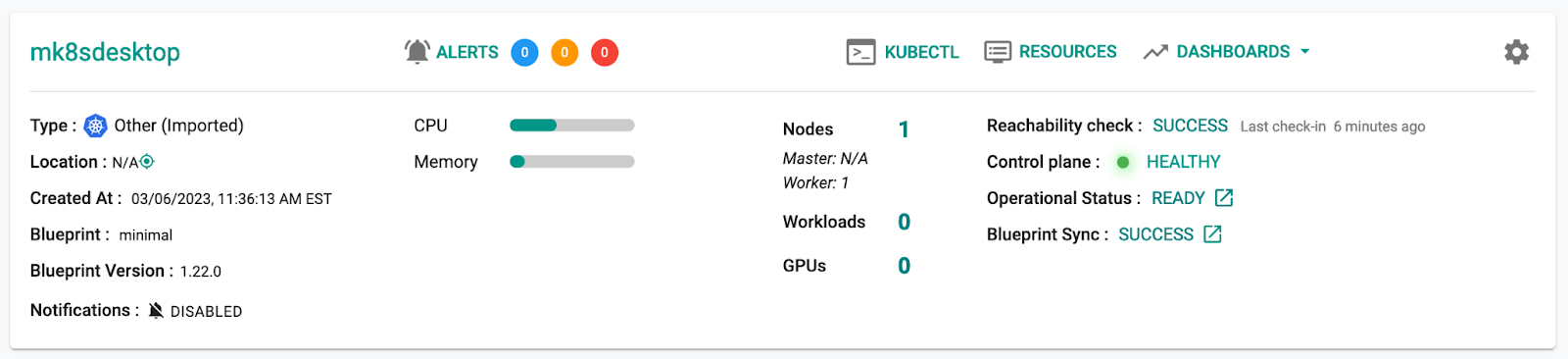
% mk8s apply -f ~/Downloads/mk8sdesktop-bootstrap.yaml [346/1984] namespace/rafay-system created serviceaccount/system-sa created clusterrole.rbac.authorization.k8s.io/rafay:manager created clusterrolebinding.rbac.authorization.k8s.io/rafay:rafay-system:manager-rolebinding created clusterrole.rbac.authorization.k8s.io/rafay:proxy-role created clusterrolebinding.rbac.authorization.k8s.io/rafay:rafay-system:proxy-rolebinding created priorityclass.scheduling.k8s.io/rafay-cluster-critical-v3 created priorityclass.scheduling.k8s.io/rafay-cluster-critical created role.rbac.authorization.k8s.io/rafay:leader-election-role created rolebinding.rbac.authorization.k8s.io/rafay:leader-election-rolebinding created customresourcedefinition.apiextensions.k8s.io/namespaces.cluster.rafay.dev created customresourcedefinition.apiextensions.k8s.io/tasklets.cluster.rafay.dev created customresourcedefinition.apiextensions.k8s.io/tasks.cluster.rafay.dev created service/controller-manager-metrics-service-v4 created deployment.apps/controller-manager-v3 created configmap/connector-config-v3 created configmap/proxy-config-v3 created deployment.apps/rafay-connector-v3 created service/rafay-drift-v3 created validatingwebhookconfiguration.admissionregistration.k8s.io/rafay-drift-validate-v3 created
应用引导程序文件后,所有 Pod 启动大约需要 5 分钟
% mk8s get po -n rafay-system NAME READY STATUSRESTARTS AGE relay-agent-75bb76cc64-wxjmh 1/1Running 03m rafay-connector-v3-c965fc7cf-pjx9x 1/1Running 096s controller-manager-v3-58cf8f6445-mv55l 1/1Running 095s edge-client-767b87fb5-44fpn 1/1Running 070s
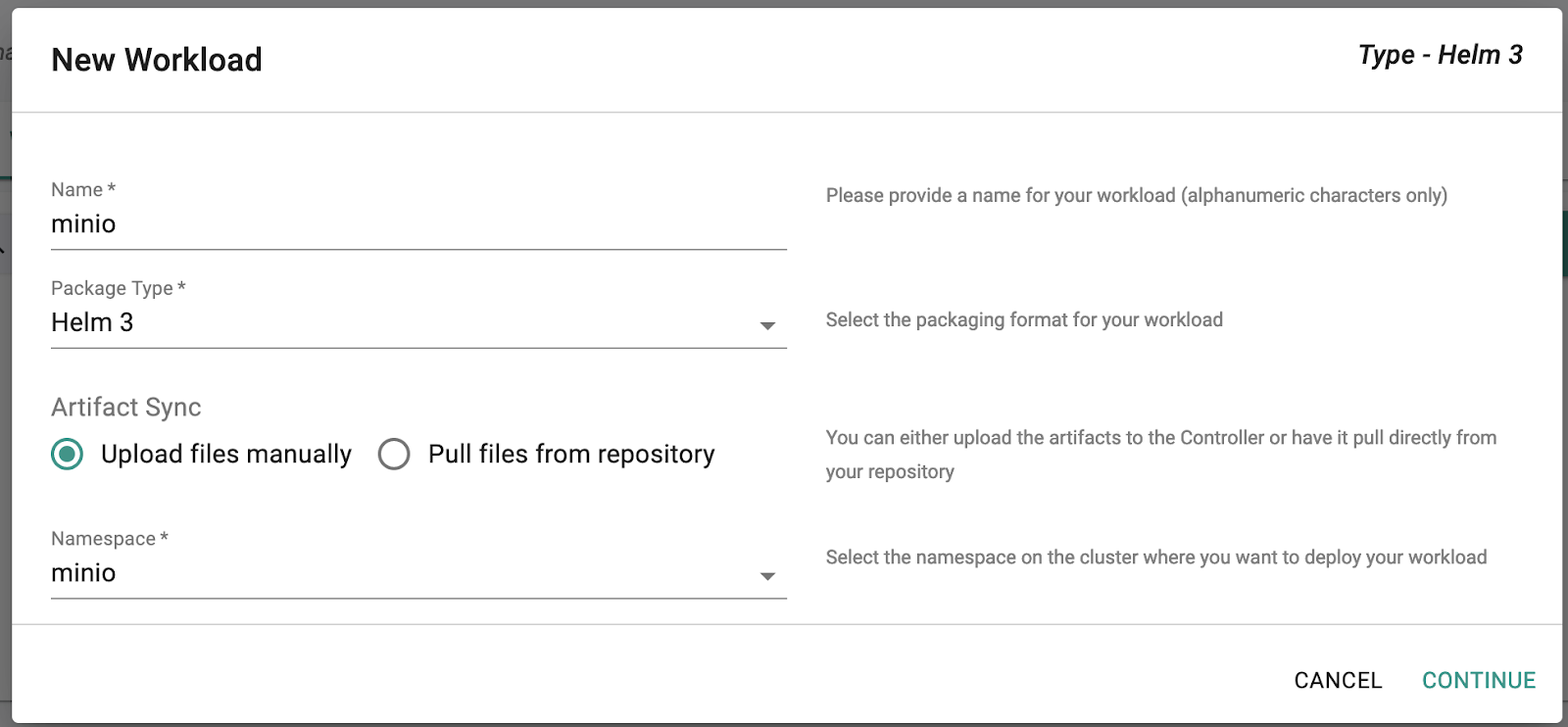
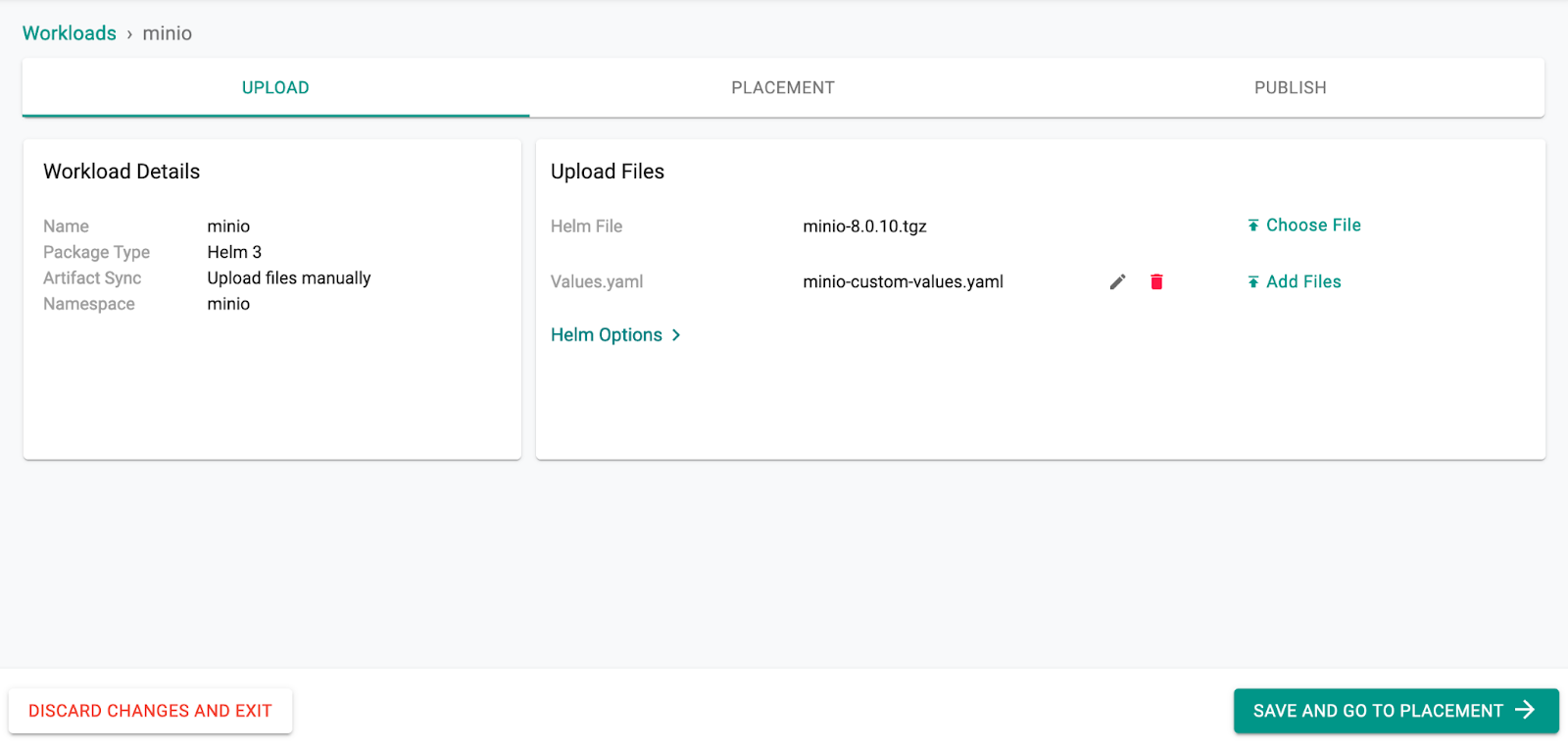
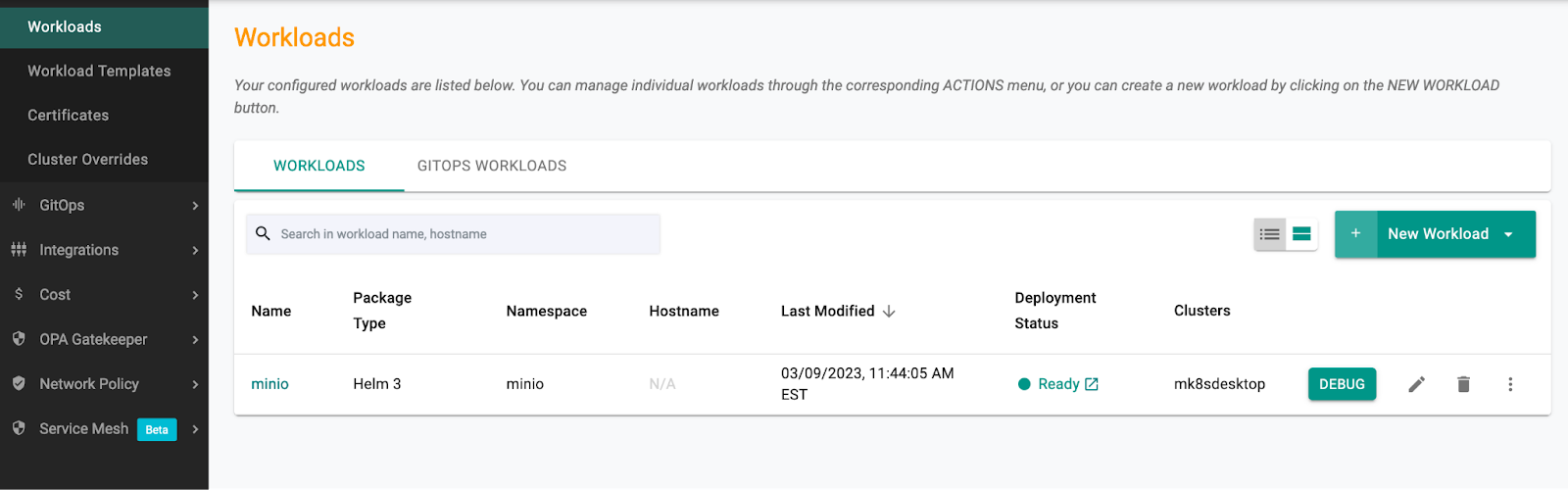
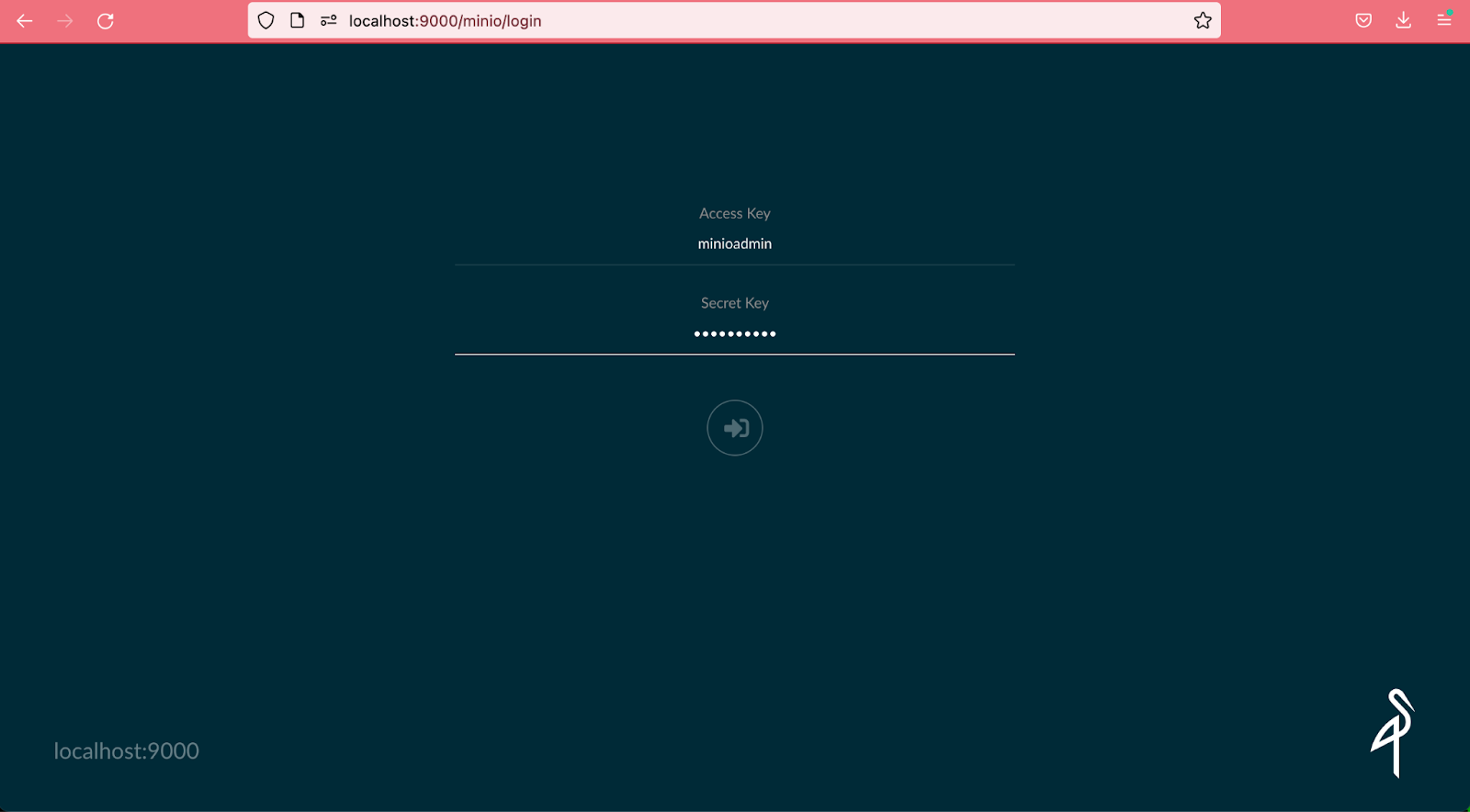
## Enable persistence using Persistent Volume Claims # persistence: #Specify the size for MinIO Storage size: 50Gi ## Configure resource requests and limits for your MinIO container ## resources: requests: memory: 2Gi cpu: 500m limits: memory: 4Gi cpu: 1 ## Enable and configure ingress to expose MinIO service externally ## ingress: enabled: false annotations: # Add annotation to use built-in nginx ingress controller kubernetes.io/ingress.class: nginx # Add annotation to use cert-manager for generating and maintaining the cert for MinIO ingress cert-manager.io/cluster-issuer: "letsencrypt-http" path: / hosts: # Change the host to your domain - minio.ajtest.local tls: - secretName: minio-ingress-tls hosts: - minio.ajtest.local ## Change below settings if you would like to use K8S secrets for the MinIO's access and secret key ## Remove this if you are planning to use the Vault integration ## existingSecret: "" accessKey: "minioadmin" secretKey: "minioadmin"
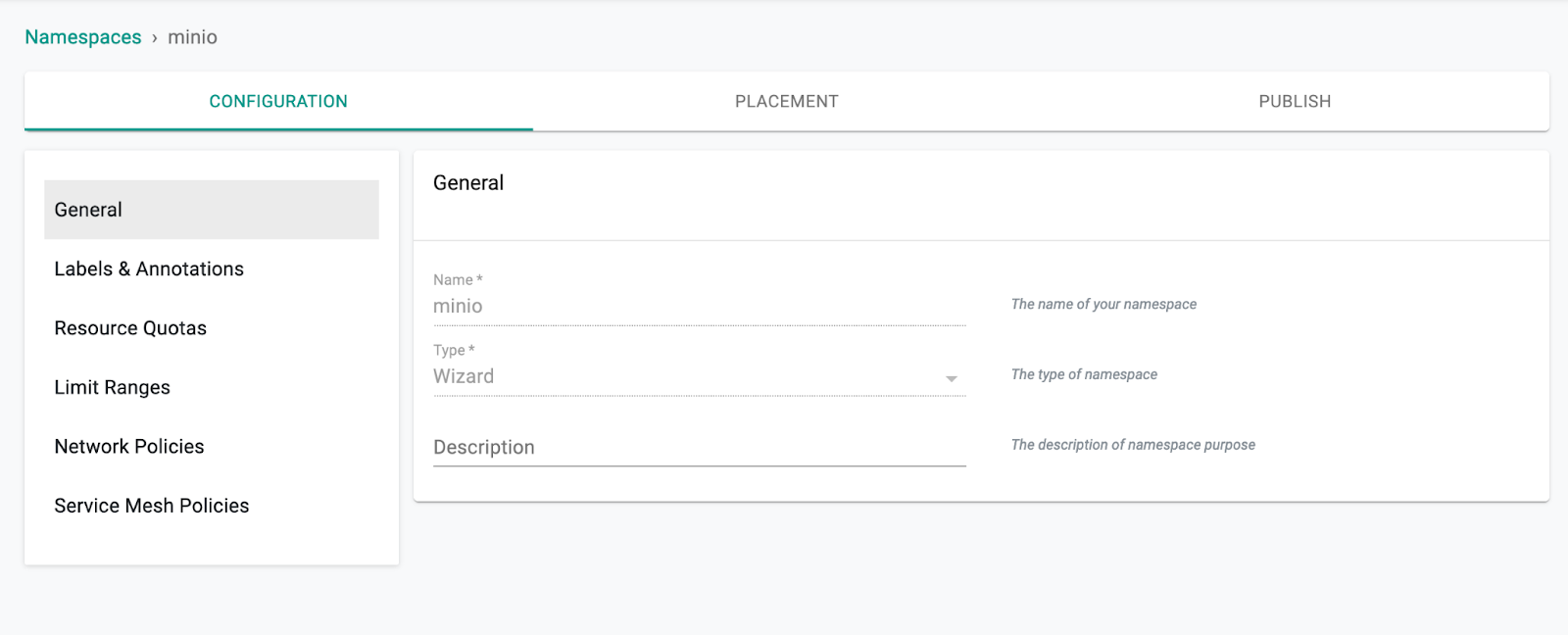
使用 Rafay 接口创建 MinIO 命名空间
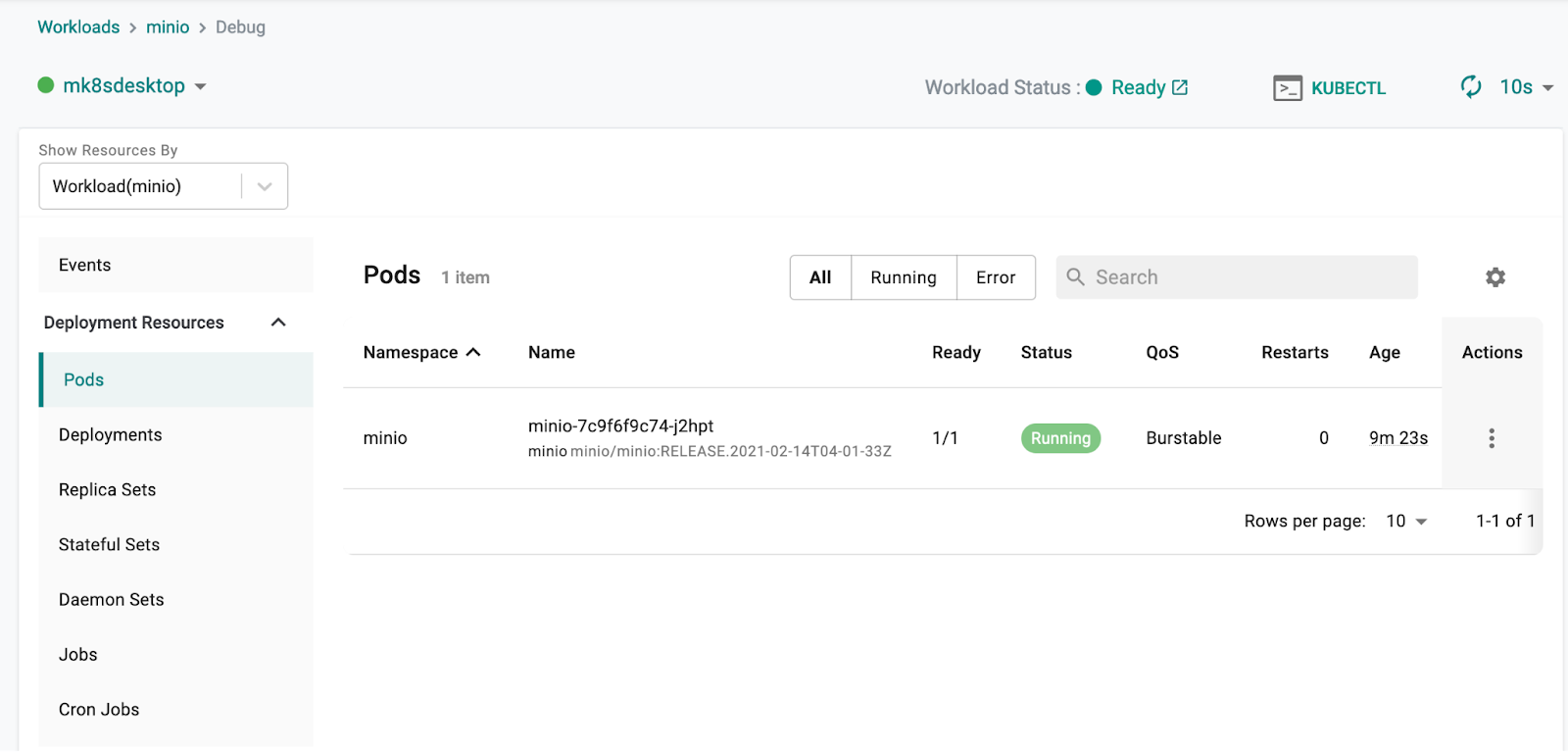
验证它是否已在您的集群中创建
% mk8s get ns NAME STATUS AGE defaultActive 2d kube-system Active 2d kube-public Active 2d kube-node-lease Active 2d rafay-system Active 2d minio Active 4s

 纠删码计算器
 参考硬件
参考硬件
 on
Kubernetes
on
Kubernetes